
The solutions to an iPhone that keeps restarting depend on which type of restart is occurring. A restart loop means the phone reaches the Home Screen but restarts unexpectedly during normal use, usually caused by a software error iOS cannot resolve, a problematic app, or a battery that can no longer hold a stable charge under load.
A boot loop has a different pattern: the phone cycles between a black screen and the Apple logo without ever reaching the Home Screen. This almost always points to corrupted iOS, corrupted startup files, a failed software update, or a hardware component that stopped reporting entirely. Boot loops rarely resolve with basic software steps and often require Recovery Mode or professional evaluation.
Boot loops and a phone that won't turn on are easy to confuse. An iPhone that won't turn on at all is a separate problem, but the diagnostic starting point is similar: ruling out software before assuming hardware is the correct order of operations.
The next section maps the most common triggers and whether each is addressable without professional help. For devices with important data, iPhone data recovery from a professional lab should be considered before attempting any restore.
Most common causes of iPhone restart loops
iPhone restart loops have both software and hardware root causes. Software causes are more common and often fixable at home. Hardware causes require professional evaluation.
| Cause | How Common | DIY Fix |
| Software bug after iOS update | High | Yes |
| Battery degradation | High | Sometimes |
| Faulty or recently installed app | Medium | Yes |
| Overheating | Medium | Sometimes |
| Hardware damage (drop or impact) | Medium | No |
| Liquid damage | Medium | No |
| Failed repair / disconnected component | Low-Medium | No |
Can malware make an iPhone keep restarting?
In almost every case, no. Consumer iPhones are designed with strong security protections that make malicious apps an uncommon cause of continuous rebooting.
How to fix an iPhone that keeps restarting
Start with the least invasive fix and work toward more significant interventions only if simpler steps do not resolve the issue. The order below is deliberate: each step carries more data risk than the one before it.
Force-restart your iPhone
A force restart clears temporary software faults without deleting any data. If the phone still responds to button presses, a force restart is the safest first troubleshooting step. The button sequence varies by model.
On iPhone 8 and later: press and quickly release Volume Up, press and quickly release Volume Down, then press and hold the Side button until the Apple logo appears.
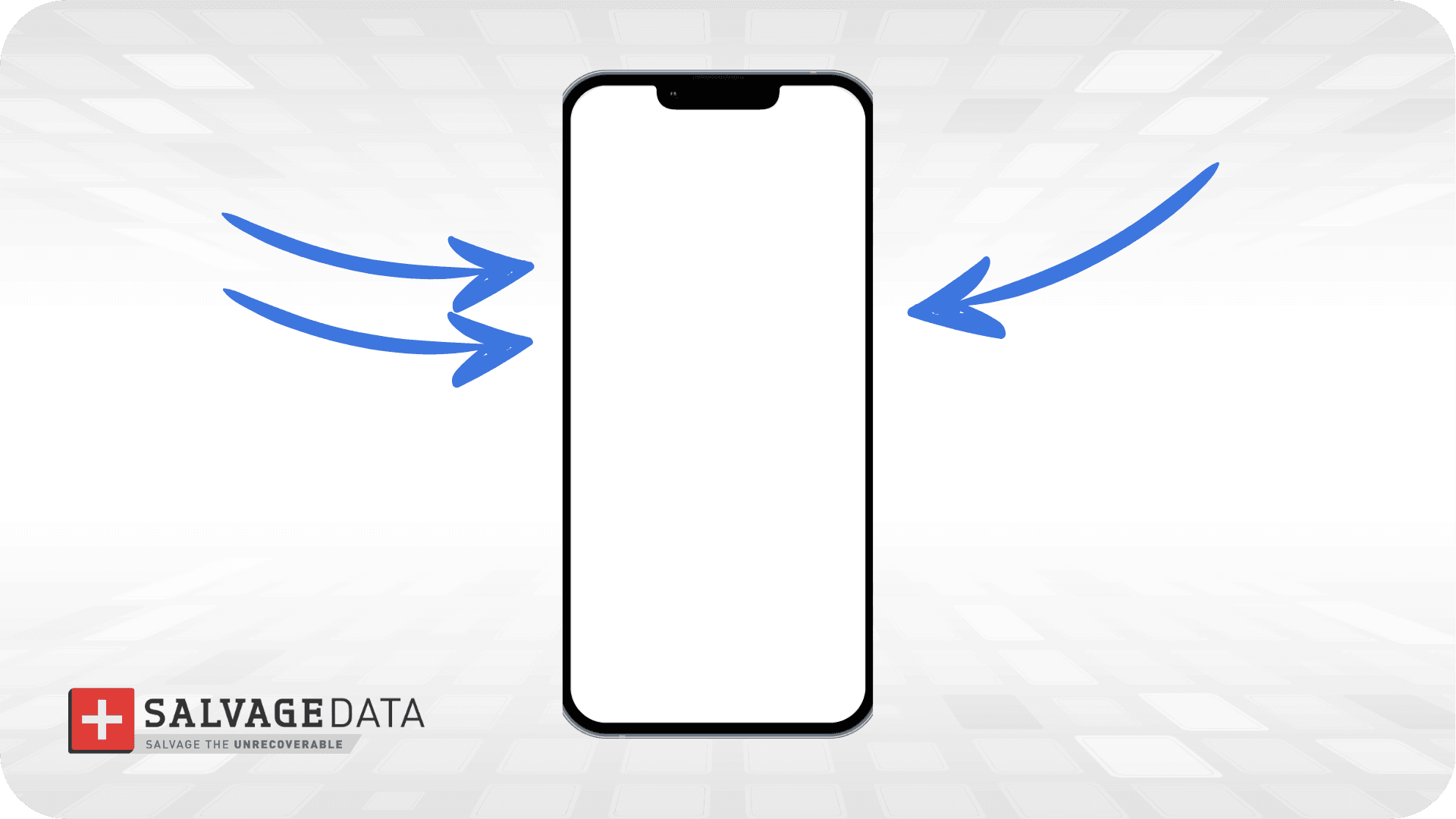
This is the correct first step for almost any restart loop. It rules out a frozen process before anything more invasive is attempted.
Check battery health
A battery that can no longer hold a stable charge may trigger unexpected shutdowns and restarts, particularly under load.
Navigate to Settings, then Battery, then Battery Health and Charging.
A battery that displays a service message or has significantly reduced capacity, often below 80%, may contribute to unexpected shutdowns and restart loops.
Checking whether the restarts stabilize temporarily after a full charge is a useful data point before replacing the battery.
Update iOS
Apple regularly releases updates that address known bugs, including restart-related issues. If the phone still reaches the Home Screen between restarts, updating iOS through Settings is a safe next step.
If the problem started immediately after installing an app, especially a beta, enterprise, or recently updated app, delete it and monitor whether the restarts stop.
If the iOS software update failed, or if the instability began immediately after an update, the update may not have completed cleanly. Recovery Mode is the appropriate next step in that case.
Use Recovery Mode
Recovery Mode allows iTunes or Finder to reinstall iOS without the device needing to boot normally. It is the correct tool when:
- The phone is stuck in a boot loop
- An over-the-air update did not complete
- A force restart does not interrupt the cycle
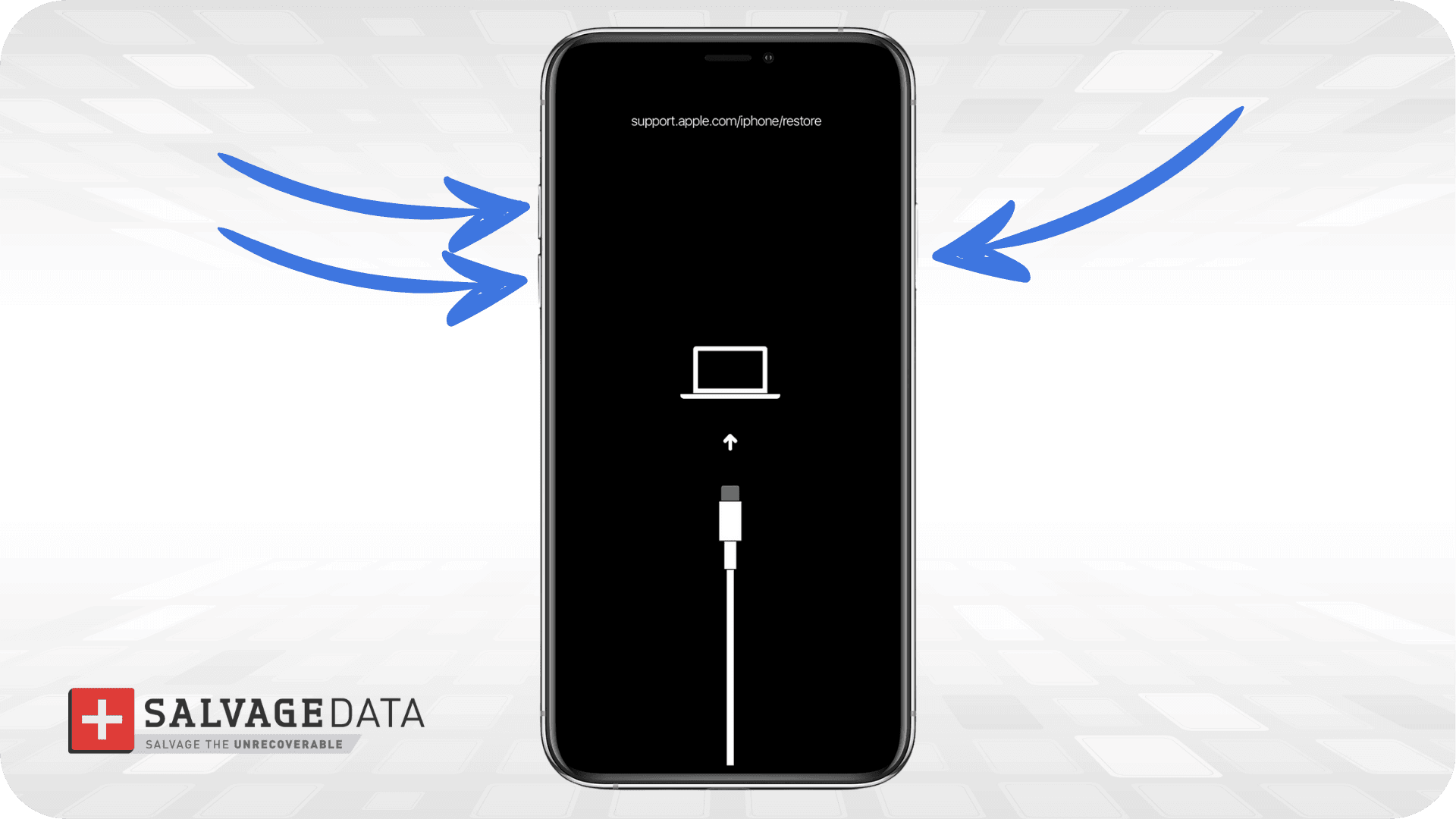
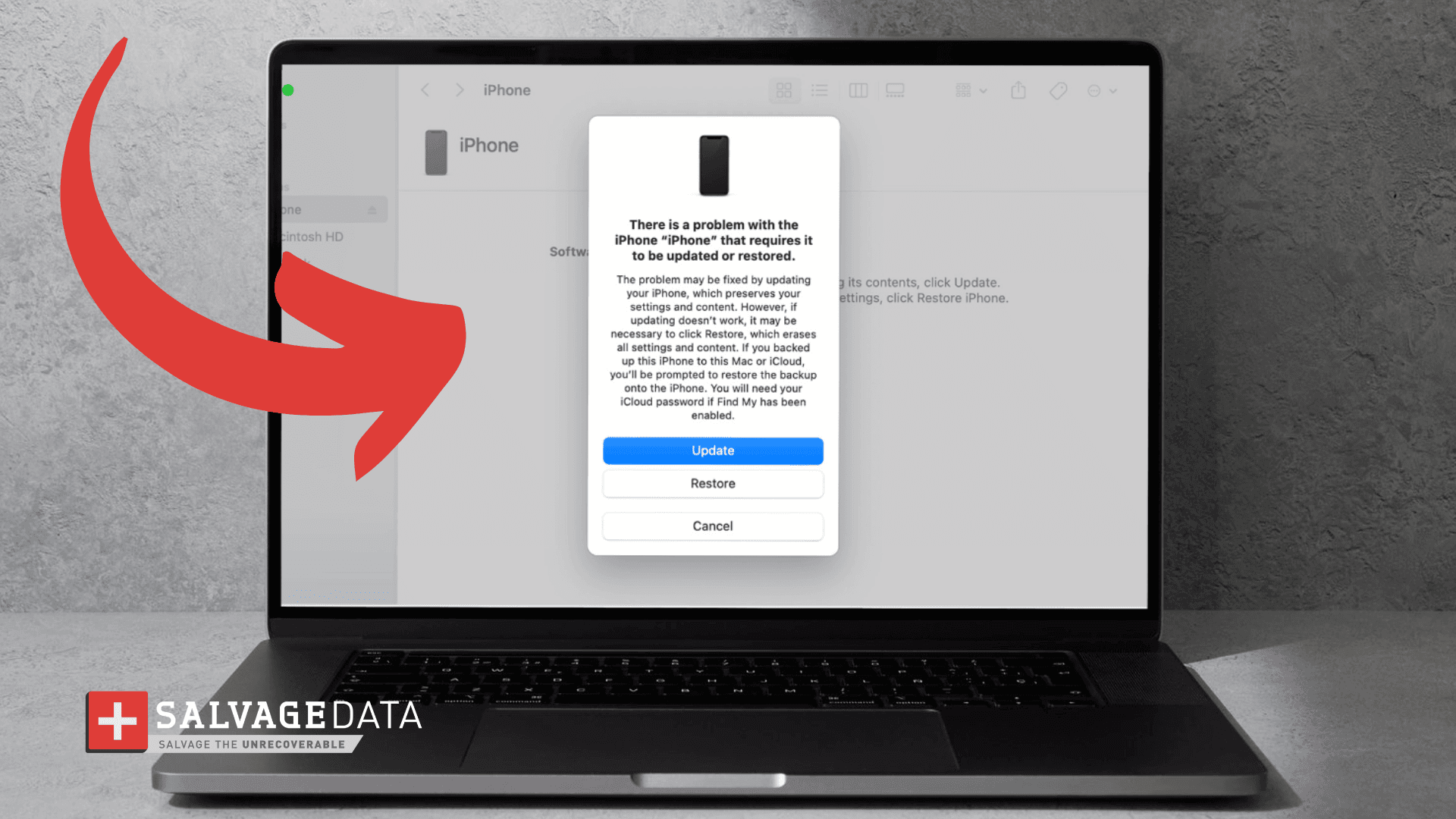
Updating through Recovery Mode attempts to preserve data. Restoring through Recovery Mode erases the device entirely.
Choose "Update" first. It reinstalls iOS without intentionally erasing your data. Only use Restore if Update fails or you have a verified backup.
Software fixes work well when the problem is software. When the restarts have a hardware cause, that usually becomes clear at this stage because the problem persists through a clean iOS install.
When the problem is hardware
Modern iPhones continuously monitor internal sensors and components during startup. When a required component stops reporting, iOS triggers a protective restart rather than allowing the device to operate in a damaged state.
Specific symptoms that suggest hardware involvement:
- Restarts occurring every 2-3 minutes regardless of what the phone is doing
- Problem began immediately after a drop or impact
- Problem began after liquid exposure, even brief contact with moisture
- Problem began immediately after a battery, screen, or charging port replacement
- Phone overheating preceding each restart
Frequent restarts caused by hardware issues do not respond to software fixes.
According to Michael Galloway, recovery engineer at SalvageData, significant physical impacts can damage internal connections in ways that are not visible externally, and devices that appear undamaged often arrive in the lab with hardware faults that rule out any software-based fix.
Diagnosing hardware with Analytics Data
For hardware-related restart loops, checking the Analytics Data is the most informative step available without professional tools:
- Open Settings
- Tap Privacy and Security
- Tap Analytics and Improvements
- Tap Analytics Data
Look for files labeled panic-full. If multiple entries reference the same hardware component, the restarts have a hardware cause that software cannot fix. If a Recovery Mode Update has already failed and panic logs consistently point to the same fault, additional software troubleshooting is unlikely to help.
Water-damaged iPhone
Water-damaged iPhone data recovery is one of the most common professional recovery scenarios for this reason. Liquid exposure causes corrosion that can develop over hours or days, and a phone that appears to recover after drying out may begin restarting days later as internal damage progresses.
Overheating iPhone
If the iPhone feels unusually hot before restarting, remove the case if present, disconnect it from the charger, close demanding apps, and allow it to cool before using it again. If overheating continues after the device cools or occurs during light use, it may indicate a battery or other hardware problem that requires a professional technician.
Will restarting my iPhone erase my data?
Restarting an iPhone does not erase data. The confusion arises because some recovery steps do carry real data risk, and those steps are frequently recommended alongside simple restarts.
The distinction matters in practice:
| Action | Is the data safe? |
| Force restart | Yes |
| Normal restart | Yes |
| iOS update (over the air) | Yes |
| Recovery Mode update | Usually yes |
| Recovery Mode restore | No |
| Factory reset | No |
| DFU restore | No |
The practical rule: anything labeled "restore" or "reset" erases the device.
Anything labeled "restart" or "update" does not.
Before attempting any restore, confirm whether the device is backed up. A current iCloud or iTunes backup makes a restore a recoverable situation. Without one, a restore means permanent data loss. The guide on how to back up your iPhone covers both options and takes less time than any recovery attempt.
When to get professional help
If software troubleshooting has not resolved the restarts, or the pattern points to hardware, professional evaluation is the right next step before any restore attempt.
Seek professional help when:
- Important data is not backed up
- Apple logo loop persists after a Recovery Mode Update
- Restarts occur every 2-3 minutes
- Physical damage or liquid exposure is involved
- Repeated panic-full logs reference the same component
Display symptoms that accompany restart loops — an iPhone black screen, an iPhone white screen, or a device stuck attempting data recovery — indicate board-level issues that need professional diagnostics before any further action is taken. Contact our experts 24/7 for immediate assistance.