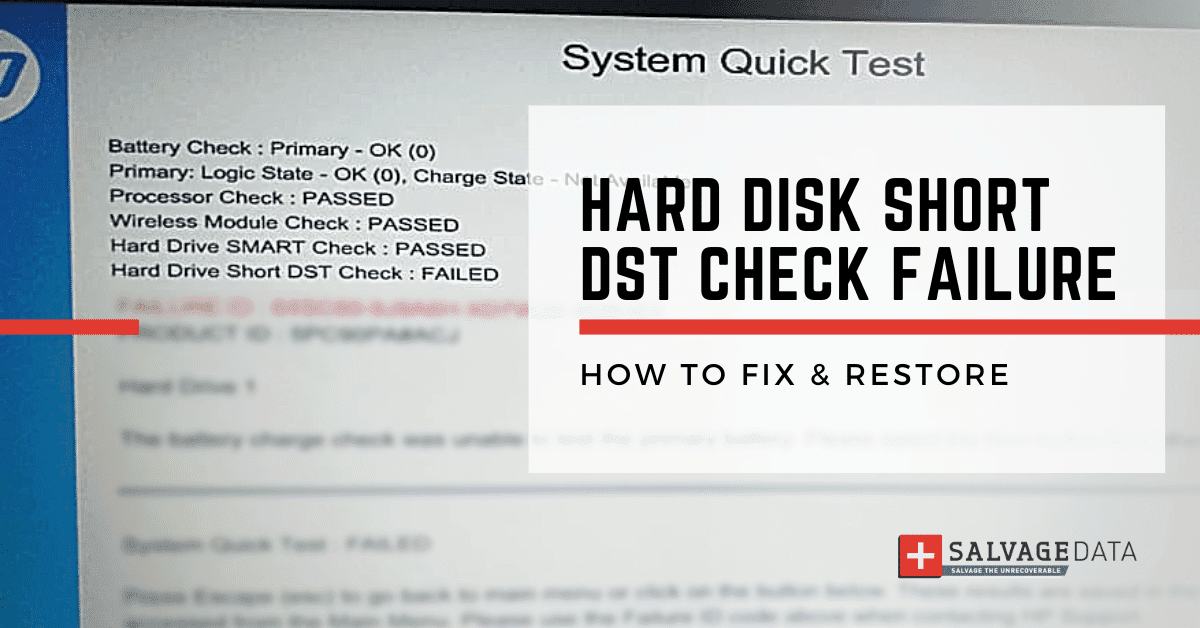

A “hard disk short DST check failure” is an error that can occur when there is a problem with your hard drive. This could be the result of a malware attack, corrupted partitions, or one of many other issues. A DST (Drive Self–Test) is a test conducted to evaluate the physical integrity of a PC hard drive. Many computer manufacturers integrate into their systems a DST Short Test support which runs automatically when the computer is booting.
This test occurs all the time, and you will rarely notice unless something goes wrong with your hard drive, which generates an error code. If you see the hard drive short DST check failure error, it means that there is a problem with your hard drive and you need to take action to fix it.
Signs your computer has a hard disk short DST check failure error
Here are the signs that your hard drive will give when something goes wrong and the DST fails:
- The computer stops working properly or completely;
- It doesn’t stay on, restarting constantly;
- The hard drive doesn’t boot at all.

Pro tip: Remember that the same signs can represent other hard drive failures, therefore, if the following fix solutions do not work, make sure to contact professional help.
How to fix Hard Disk short DST check failure
Fixing the hard drive short DST check failure can be simple, depending on the cause. Make sure to follow the solution that you’re confident you can perform, to prevent further damage and data loss.
WARNING: The following fixing solutions can lead to data loss. Hard disk short DST check failure error is a serious issue and you should take extra care with it. If you’re not confident you can fix the problem or if you don’t have a backup of your data, contact professional help to restore your hard drive.
Fix 1. Check for malware and viruses
If you suspect that the hard disk short DST check failure is because of a malware attack, then you should run a full scan of your system with an anti-malware program.Another potential cause of the hard drive short DST check failure is a virus infection. Run a full scan of your system with an antivirus program to remove any viruses that may be present.
Fix 2. Repair partitions
If the problem is because of corrupted partitions, then you may use a partition repair tool to fix it. Here you’ll need third-party software. So, read all comments and certify that the tool you’re choosing will help you before proceeding.
Fix 3. Replace hard drive
Sometimes the damage to your hard disk is too great so you can’t fix it and you will need to replace it. Before removing your hard drive, make sure to conduct a backup or use recovery software to restore your data.
In this case, you can contact SalvageData's hard drive recovery experts to help you recover your files.
Fix 4. Update drivers
Outdated drivers can also lead to hard disk short DST check failures. Make sure your device drivers are up-to-date by visiting the manufacturer’s website and downloading the latest versions.
- On the Explore window, right-click This PC and then click Manage.
- On the left side, click Device Manager.

3. Expand the Disk Unity menu and find your disk driver then right-click on it.
4. Select Update Driver Software.
5. Choose Search Automatically For Updated Driver Software.
6. The computer will search and install the latest driver software. Wait for the process to end and see if the issue persists.
Fix 5. Check for hardware issues
Hardware problems can also cause hard disk short DST check failures. Make sure your hardware is properly installed and connected, and run a diagnostic tool to check for any problems.
- Run the Command Prompt tool as Administrator
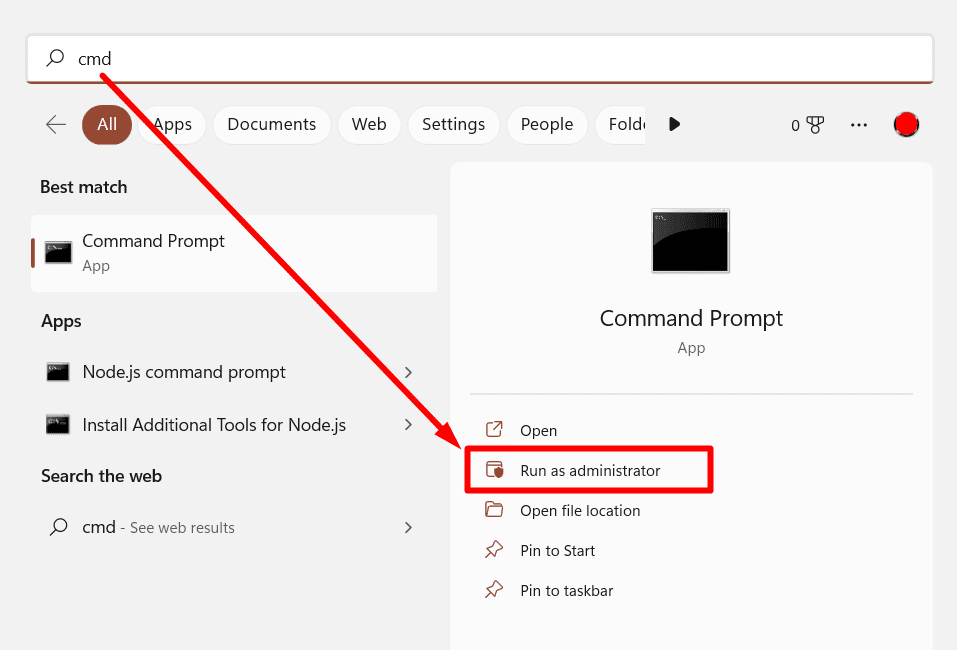
2. Type the chkdsk C:/p/r command. Change the letter C if your hard drive has a different drive letter.
3. It will scan for drive errors.
4. When the process ends, reboot your computer.
Fix 6. Perform a clean boot
A clean boot is when you start Windows with a minimal set of drivers and startup programs. This can help to fix hard disk short DST check failures by eliminating potential software conflicts.
- Press the Windows key + R to open the Run dialog box.
- Type msconfig and press Enter.
- In the System Configuration window, go to the General tab and select Selective Startup.
- Uncheck the Load Startup Items option.

- Go to the Services tab and check the Hide All Microsoft Services option.
- Click on the Disable All button.

- Click on Apply and then the OK button.
- Restart your computer.
Fix 7. Use System Restore
If you’ve recently changed your system configurations that could have caused hard disk short DST check failures, then you can use System Restore to undo those changes.
- Press the Windows key + R to open the Run dialog box.
- Type rstrui and press Enter.
- In the System Restore window, click on the Next button.
- Select a restore point from the list and click on the Next button.
- Follow the prompts to complete the restore process.

Fix 8. Perform a hard reset to fix the hard disk short DST check failure
If a hardware problem caused the hard disk short DST check failure, you may fix it by performing a hard reset. This will clear all the settings from your BIOS and may fix the problem.
- Disconnect all external devices from your computer.
- Remove the battery from your laptop (if applicable).
- Press and hold the power button for 30 seconds.
- Reconnect the battery (if applicable) and plug in all external devices.
- Press the power button to turn on your computer.
Quick Summary
No matter what the cause of the hard drive short DST check failure is, it’s important to take action to fix it as soon as possible. Ignoring the problem will not make it go away and will only lead to further damage to your hard drive. If you need help troubleshooting the problem or don’t feel confident in your ability to fix it, then you can always reach out to a computer repair technician for help.
A hard disk short DST check failure can cause data loss. The good news is that you can contact SalvageData 24/7 to recover your hard drive files.