
A ransomware attack can shut down your business in seconds. One encrypted server, one locked workstation, and your entire operation comes to a halt. Customer data becomes inaccessible, services stop, and every minute of downtime costs money.
A ransomware recovery plan outlines exactly what your team must do to contain the attack, recover systems, and restore operations without paying a ransom. It eliminates guesswork and helps you respond confidently under pressure.
Preparing this plan before an incident is the most effective way to minimize downtime, maintain compliance, and protect your business from long-term damage.
Between January and September 2025, there were 4,701 confirmed ransomware incidents globally. If you think your small business is not among the targets, reports show that 46% of all data breaches impact businesses with fewer than 1,000 employees. The reports also disclose that 75% of small businesses that were victims of ransomware could not continue operating after the attack.
If you don’t want to become a statistic, this guide shows how IT teams and small business owners can build a bulletproof plan to survive a ransomware attack.
Every effective ransomware recovery plan includes five critical steps. These can prevent data loss and ensure business continuity.
Pro tip: Check out our complete guide on how to prevent a ransomware attack.
Your 5-Step Ransomware Recovery Checklist
Complete these five steps before an attack happens. Each one is a pre-incident action you can take this week to protect your organization.
-
Secure data with backups
This is the single most important part of your recovery plan. Without secure, tested backups you have far fewer options when ransomware hits — and paying the ransom doesn’t guarantee data recovery.
ActionTest your backup restores this week.
-
Build your response team
When the attack hits, people need to know their job instantly. Pre-assign roles: incident commander, IT lead, legal counsel, communications, and your cyber insurance contact.
ActionBuild a printed contact sheet with mobile numbers.
-
Define a communication protocol
Email and internal chat may be compromised during an attack. Decide now how you’ll reach staff, leadership, and external partners — SMS phone tree, dedicated app, or out-of-band conference line.
ActionPick a backup channel and test it.
-
Document your incident response runbook
Write down exactly what happens when an attack is detected: who isolates affected systems, who contacts law enforcement and your insurance carrier, who preserves evidence, and in what order to restore from backup. Restoring before forensics can destroy evidence and void insurance claims.
ActionPrint the runbook and post copies in IT.
-
Test the plan, like a fire drill
A plan that isn’t tested is a plan that fails. Run a tabletop exercise at least once a year to walk the team through a simulated attack — full drills surface gaps no document review will catch.
ActionSchedule your next drill on the calendar today.
Step 1: Secure your data with the 3-2-1 backup rule
Once you ensure your data is available, regardless of the incident, you ensure your business can continue operating while you remove the ransomware from affected devices and systems.
It’s important to remember that this will not prevent cybercriminals from exposing stolen data (if they have any).
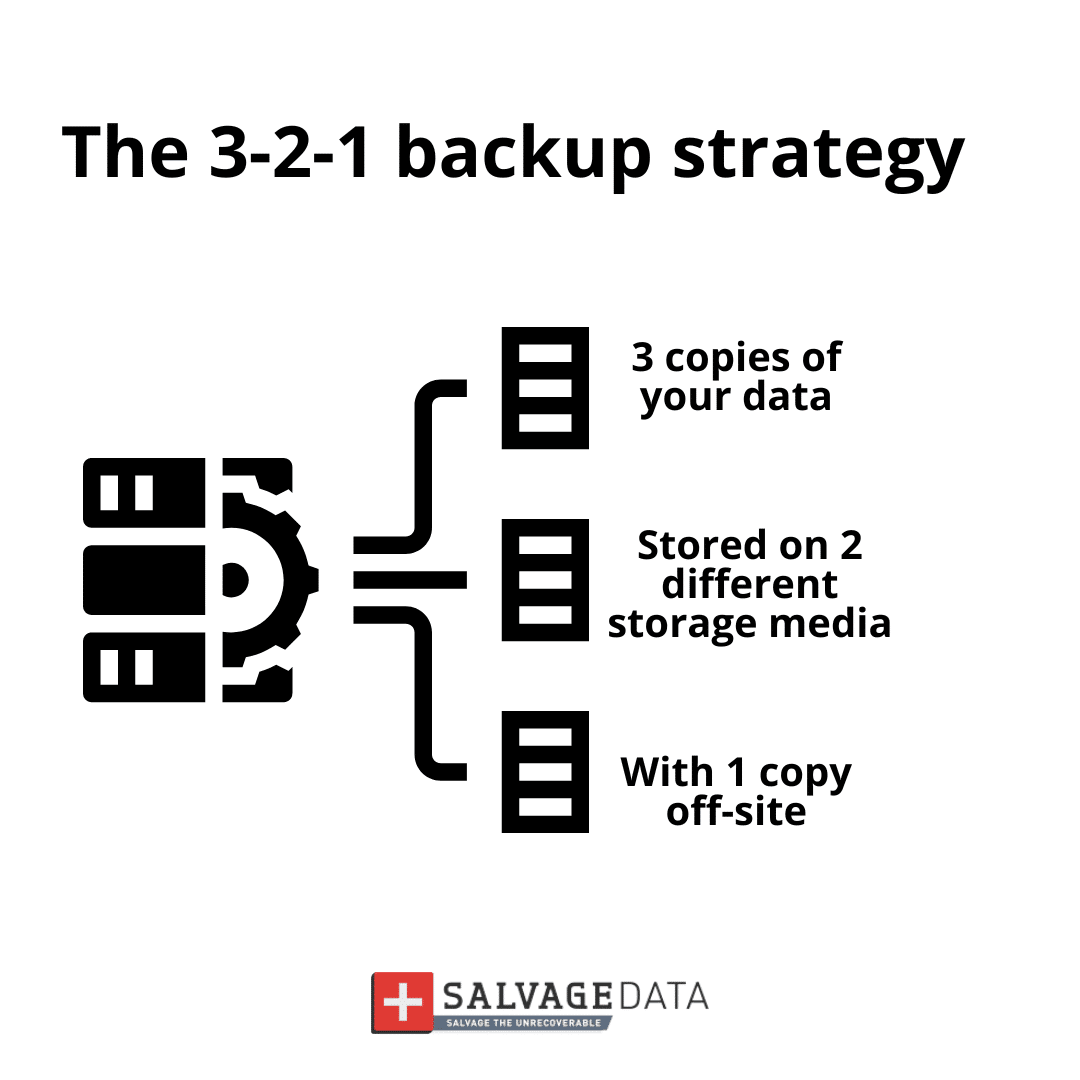
What is the 3-2-1 Rule?
3 Copies of Data:
- The files on your main computer or server;
- A local backup copy (like an external hard drive);
- A secure copy stored far away (off-site).
2 Types of Storage:
These three copies must use two different kinds of storage. If one type fails, the other is ready. Example: One copy on a physical hard drive, and one in cloud storage
- 1 Copy Off-Site:
This is the most critical step for ransomware protection. Your backup must be stored outside your office network, like in a cloud service. This ensures that, even if ransomware locks up your office computers, it cannot reach the backup copy. It is disconnected and safe.
Always test your backups and keep them updated according to the frequency at which new data is added. Also, don’t connect your backup device or account to an infected system. Contact a ransomware removal service first or use a clean system.
Step 2: Build your incident response team
During a ransomware attack, everyone on your team must know their job instantly. Confusion wastes precious time, and time wastes money (or worse, leads to permanent data loss).
This team, often referred to as your DFIR (Digital Forensics and Incident Response) crew, is responsible not only for stopping the attack but also for investigating how it happened and preserving legal evidence. Writing down names and specific responsibilities now prevents panic and chaos later.
To ensure rapid coordination when your primary systems are compromised, you must:
- Define Three Critical Roles: Clarify which person will serve as the Incident Leader, Technical Lead, and Communication Lead.
- Create a Printed Contact Sheet: Document the names, home phone numbers, and personal email addresses for all key team members (remember, work email might be down).
Your team needs three main roles
| Role | Responsibilities During an Incident | Pre-Incident Prep |
|---|---|---|
| Incident Leader | Authorizes containment actions, decides when to engage external help (law enforcement, IR firm, cyber insurance), and coordinates with executives and legal counsel. | Executive escalation list, authority to commit emergency funds, decision-tree for engaging external responders. |
| Technical Lead | Isolates affected systems, preserves forensic evidence, identifies the scope of compromise, and manages restoration from clean backups once forensics are complete. | Offline copy of admin credentials, contact details for your IR firm, documented backup-access paths and recovery sequence. |
| Communication Lead | Notifies employees via out-of-band channels, briefs executives, and coordinates external communications with customers, partners, and regulators where required. | Employee and customer contact lists (with personal emails / cell numbers), pre-drafted notification templates, and a list of regulatory notification deadlines. |
Build a printed contact sheet with each person’s name, title, cell phone number, and a designated backup. Keep physical copies in IT and with each role holder — work email may be down during an incident.
This preparedness ensures your team can execute the required forensic steps to meet both technical recovery and potential legal/insurance obligations.
Step 3: Define your communication protocol
When the attack starts, clear communication saves your business. But you cannot use your normal tools.
Why normal communication fails during an attack:
- The company email is likely down or compromised
- Internal messaging apps might be locked
- The office phone system might be affected
- Criminals might be monitoring your communications
Part 1: Internal communication (your employees)
You must reach staff quickly during an attack, but you cannot use the channels that may be compromised — company email, internal chat apps, or the office phone system.
- The planThe Communication Lead sends a text message to every employee’s personal cell phone.
- The follow-upSend a more detailed update to personal email addresses with the situation and next steps.
Part 2: External communication (outside parties)
Several outside parties must be notified immediately or within strict regulatory deadlines.
- Incident response (IR) firmYour first call. A DFIR firm isolates the threat, preserves evidence, and guides recovery. Generic IT support is rarely equipped for ransomware response.
- Cyber insurance providerMost policies require notification within 24–72 hours of incident detection. Late notice can void the claim.
- Law enforcementReport to the FBI through IC3.gov or your local field office. CISA also accepts reports for critical infrastructure incidents.
- Legal counselData breach notification laws (HIPAA, state laws, GDPR) may require disclosure within specific timeframes. Your attorney coordinates the response.
- Your bankIf financial systems are affected, alert them to watch for fraudulent transactions and freeze accounts if necessary.
Step 4: The recovery steps
Your plan must state the exact order to follow after an attack. It is a protocol that everyone on the team must know, regardless of whether they are part of the response team.
- Contact a ransomware recovery service immediately. These services are available 24/7, and trained professionals are equipped to step in and safely contain and remove the threat as quickly as possible.
- Immediately unplug the computer from the network and disconnect the Wi-Fi (turn off the wireless switch or remove the Wi-Fi adapter). Don’t turn off the machine.
- Alert the incident response team.
- Check the infected machines and how far the ransomware has spread. If needed, contact a ransomware forensics service.
- Contain the attack by disconnecting all computers from the network.
- Do Not Pay the Ransom! There is no guarantee you will get your files back, and paying encourages more attacks.
- Use your clean, tested, off-site backup to restore files to the clean machines.
- Verify that restored files open correctly and test critical business systems before reconnecting to the network.
- Update all passwords and install security patches before restarting the operations. Reconnect computers only after they are completely clean.
Step 5: Test the plan
Testing the plan helps keep your cybersecurity up to date to face emerging threats, allows your IT security team (whether internal or external) to identify where it needs improvement, and enables everyone involved to train for a real incident.
Run a practice drill once or twice per year to find problems when the stakes are low, not during a real emergency. Training and tests can measure and improve your recovery time, reducing downtime and the associated high costs.
Add the practice drill dates to your calendar now. Treat it like any other critical business meeting. Make it mandatory for all members of the Incident Response Team.