
Key takeaways:
- In July 2025, Interlock ransomware breached St. Paul, Minnesota, stealing 43 GB of city employee data and disrupting municipal services, including utilities and libraries.
- Interlock ransomware uses double extortion, stealing data, encrypting files, and threatening to publish stolen information if victims refuse to pay.
- Attackers use the “ClickFix” social engineering tactic to trick victims into executing malicious commands through fake system alert pop-ups.
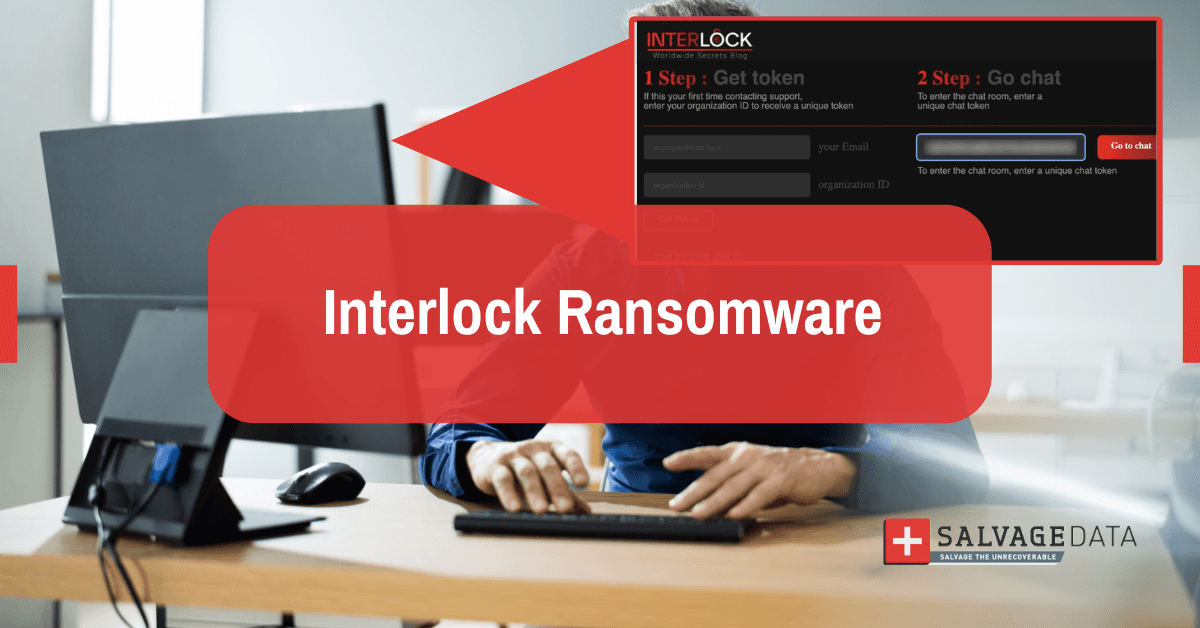
First observed in September 2024, Interlock has quickly gained a reputation for its cunning tactics and high-impact attacks on critical sectors, besides the "double extortion" strategy in which cybercriminals breach a network and quietly steal large volumes of sensitive data and then encrypt the original files, rendering them useless. The group demands a significant ransom, typically in Bitcoin, then threatens to publish the stolen information on their dark web blog, named "Worldwide Secrets," if the victim doesn't pay.
This ransomware is particularly effective because its operators are adaptable, targeting a wide array of systems, including Windows, Linux, and virtualized environments, which are common in corporate networks.
"Interlock attackers perform extensive reconnaissance to maximize damage and pressure their victims, making it a significant threat for any organization." - Hassan Faraz, ransomware removal expert
Tactics and techniques: How does an Interlock ransomware attack happen
Interlock operators have a diverse toolkit for breaking into networks. Their methods are designed to be subtle and exploit human psychology, inducing errors and creating open doors for attacks. Their main methods include ClickFix, drive-by downloads, and exploiting vulnerabilities.
ClickFix, a social engineering tactic
One of Interlock's most innovative tactics is a technique called "ClickFix." Victims are lured to a compromised website and shown a fake pop-up, like a CAPTCHA or a system alert. The pop-up instructs them to "fix" an issue by pressing a sequence of keys, which secretly copies a malicious PowerShell command. When the user follows the final step, they unknowingly execute the command, opening the door for the attackers.
Drive-by downloads
Attackers compromise legitimate websites to push fake software updates for browsers or popular security tools. When a user downloads and runs the "update," they are actually installing a backdoor that gives Interlock access to their system.
Exploiting vulnerabilities
The group actively scans for and exploits unpatched vulnerabilities in software and firmware, giving them an initial foothold into a target's network.
What happens after the initial access
Once inside, the attackers use legitimate remote access tools like AnyDesk (a remote desktop application across devices) and custom malware like the NodeSnake RAT to map the network, steal credentials, and locate the most valuable data. After exfiltrating the data to their own cloud storage, they deploy the ransomware to encrypt the victim's files, often appending extensions like .interlock.
"They turn an employee's attempt to be helpful into the very action that compromises the entire network,” explains Faraz. “This is why user education on cybersecurity is essential."
- Network Mapping & Lateral Movement: Using legitimate remote access tools like AnyDesk and custom tools such as NodeSnake RAT, attackers move laterally across systems.
- Credential Theft: They harvest credentials using keyloggers, information stealers, and other techniques to gain higher privileges.
- Data Exfiltration: Before encryption, sensitive data is moved offsite (e.g. via AzCopy to attacker-controlled cloud storage).
- Encryption & Obfuscation: Data is encrypted using AES/RSA. The ransomware often masquerades as legitimate Windows processes (e.g., conhost.exe). Encrypted files get extensions like .interlock or .1nt3rlock.
Interlock victims and impact
Interlock is opportunistic, targeting any industry with valuable data and perceived security weaknesses, including healthcare, education, and government. A significant recent example was the attack on the city of St. Paul, Minnesota. This breach disrupted city services and exposed the personal data of thousands of city employees, demonstrating the severe real-world consequences of these attacks.
Case study: Ransomware attack on the city of St. Paul, MN
In July 2025, the city of St. Paul, Minnesota, became one of Interlock’s highest-profile targets. The city detected the breach on July 25 and shut down systems within days to contain the damage. On August 11, Interlock claimed responsibility and listed St. Paul on its leak site, claiming it exfiltrated 43 GB of data across 66,460 files and 7,898 folders.
According to city officials, the data came largely from a shared drive within the Parks & Recreation Department. Files included HR documents, identification scans, internal work documents, but not core systems like payroll, licensing, or permitting.
St. Paul refused to pay the ransom, and in response, Interlock published the exfiltrated data publicly. The city prioritized recovering from backups, rebuilding infrastructure, and resetting credentials.
The attack affected several online services, including the utility payment portal that went offline, libraries lost public WiFi and computer access, and many municipal systems had to be rebuilt or validated before going live again.
What to do if Interlock ransomware infiltrates your systems
If you suspect an Interlock attack, disconnect the infected devices from the network to prevent further spread and contact a professional ransomware data recovery service.
Do not attempt to negotiate with the attackers and don’t pay the ransom. There's no guarantee of data return, and paying funds for future cybercrime. The experts at SalvageData have extensive experience with sophisticated cyber threats and provide dedicated ransomware recovery services to safely recover your data and restore your operations.
Contact our ransomware recovery team for a confidential, no-obligation consultation.
How to protect your organization from interlock ransomware
Proactive defense is the most effective strategy. Based on the latest advisories from CISA and the FBI, here are the essential steps to protect your data:
Educate and train your team
Your employees are the first line of defense. Train them to recognize the signs of social engineering, phishing emails, and suspicious pop-ups like the "ClickFix" tactic.
Implement strong security controls
Enforce strong, unique password policies and enable multi-factor authentication (MFA) on all critical services, especially remote access points.
Patch the system and update software
Keep all operating systems, software, and firmware updated to patch the vulnerabilities that Interlock exploits.
Harden your network
Segment your network to limit an attacker's ability to move laterally. Employ a "Zero Trust" security model that assumes no user or device is automatically trusted.
Maintain offline backups
This is your most critical lifeline. Regularly back up sensitive data and ensure those backups are stored offline, physically disconnected from your primary network.